
Engineering Workbench by Accuris (EWB) provides full text access to all current Australian Standards. This database has replaced the Techstreet platform for access to standards.
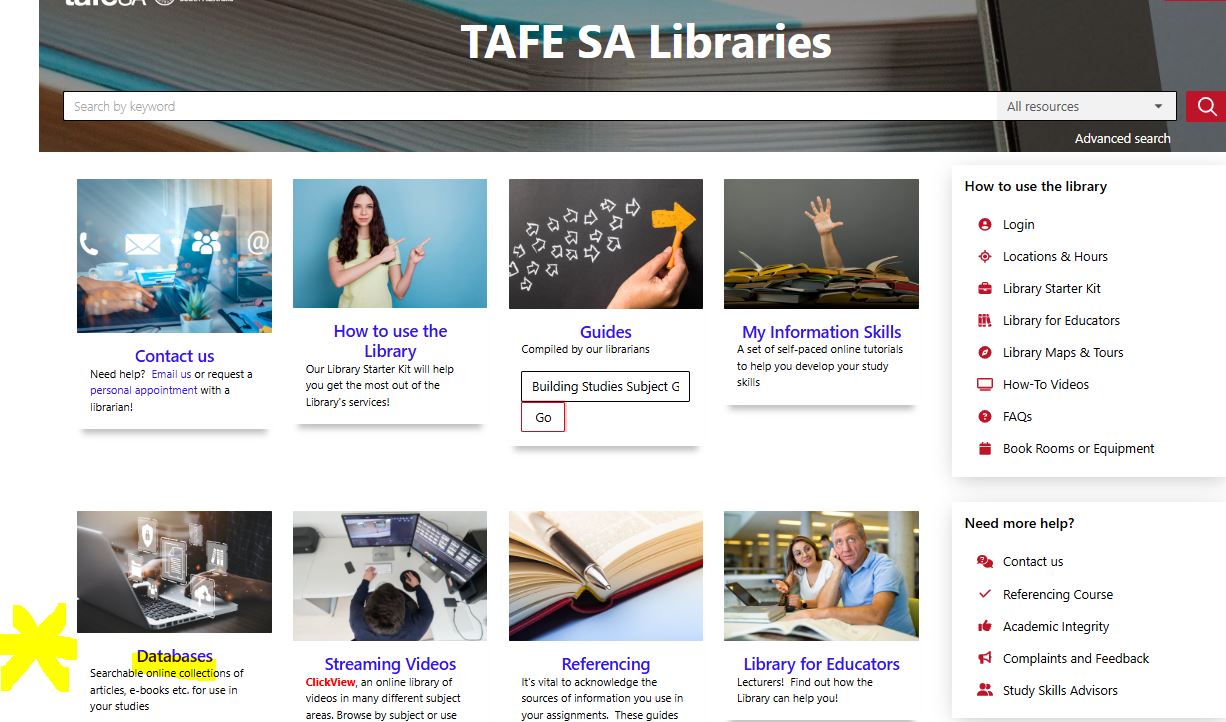
Access to EWB is available to all current TAFESA staff and students via MyTafesa - Take the link to your authenticated access to Library - then Databases - locating the link to Australian Standards EWB Accuris Direct link direct via https://ewb.ihs.com/
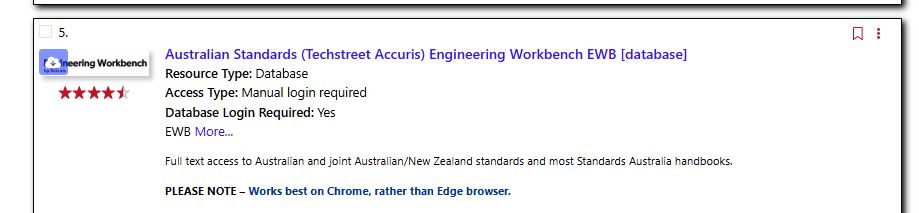
Take the Access Resource link  to:EWB
Access to databases and full-text services is restricted by licence to current staff and enrolled students of TAFE SA. You may view, print and/or download contents from these services provided such use is for your TAFE SA studies, teaching or research
In this guide you can find:
As a current TAFESA student or staff member, you have access to all Australian Standards and any adopted ISO via Engineering Workbench.
Document Viewer will allow you to personalise and annotate your copy of any Standard for 24/7 access on any web connected device 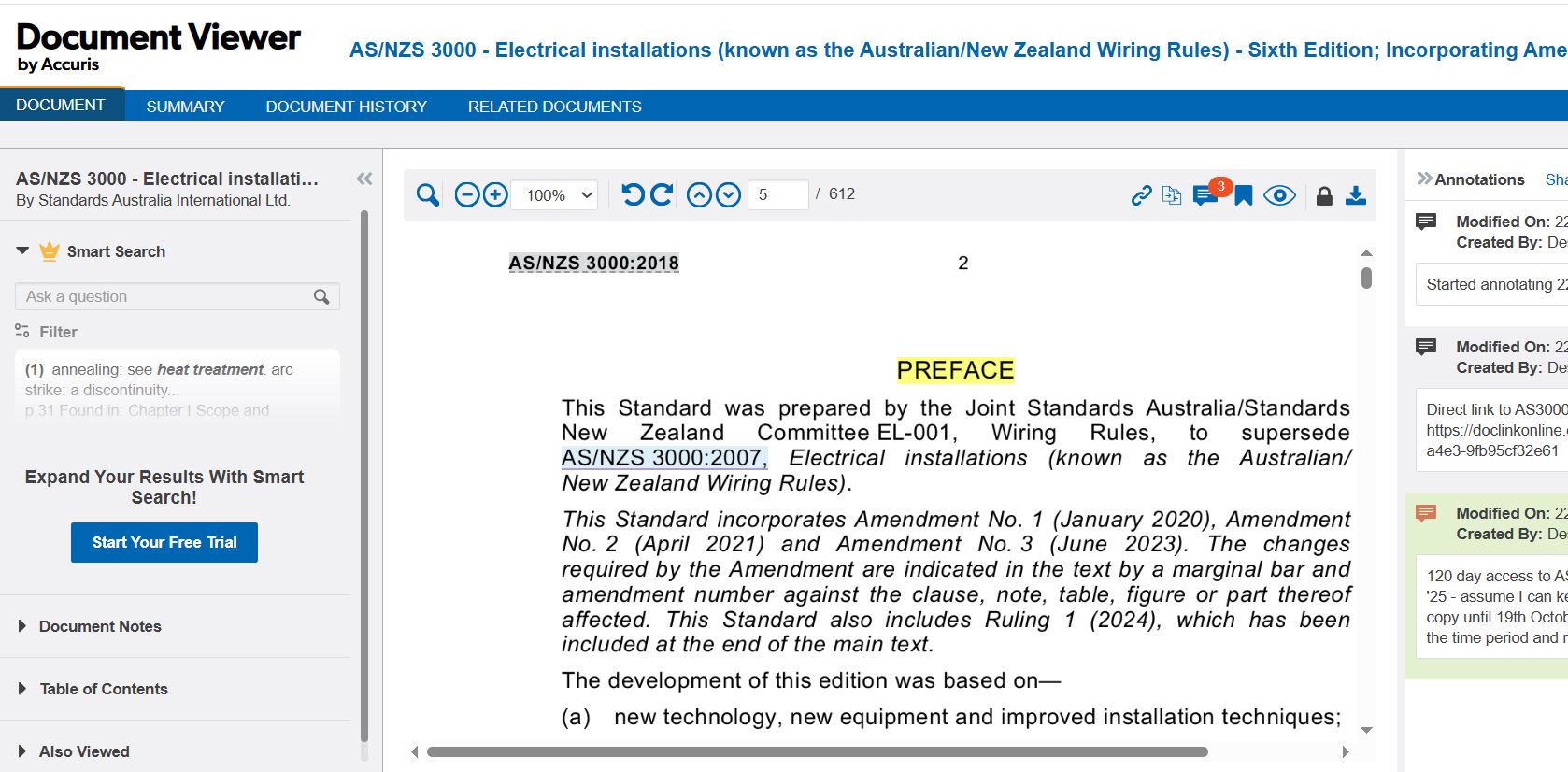
NOTE: If you choose to Download a PDF copy, you have access to that PDF ONLY on the original device - you can extend the access time as long as it is on the same device you initially used.
If you choose to download a PDF copy to a specific device, you will be required to install FileOpen plugin in conjunction with Adobe Acrobat .
Adobe Reader , the free product, no longer supports plug-ins like FileOpen.
Installation options - https://plugin.fileopen.com/all.aspx
How can you tell if the File Open Plugin has been installed?
Standards are protected by FileOpen which is Digital Rights Management (DRM) software to control or prevent digital
copies from being shared over computer networks.
Help with Web Browser settings
When you try to download a document, you might encounter an error message:
This error message is issued by your browser, not Engineering Workbench, and requires that you change the PDF viewing setting of your browser.
If using Windows 11 S Mode- you will need to adjust security settings to allow FileOpen to be installed as it isn't listed within Microsoft Store
Switching out of S mode in Windows - Microsoft Support
If using macOS Install the plug-in at https://plugin.fileopen.com/
See instructional video link for accessing Australian Standards via EWB
https://cdn.ihsmarkit.com/www/video/0523/Getting-Started-ENG.mp4
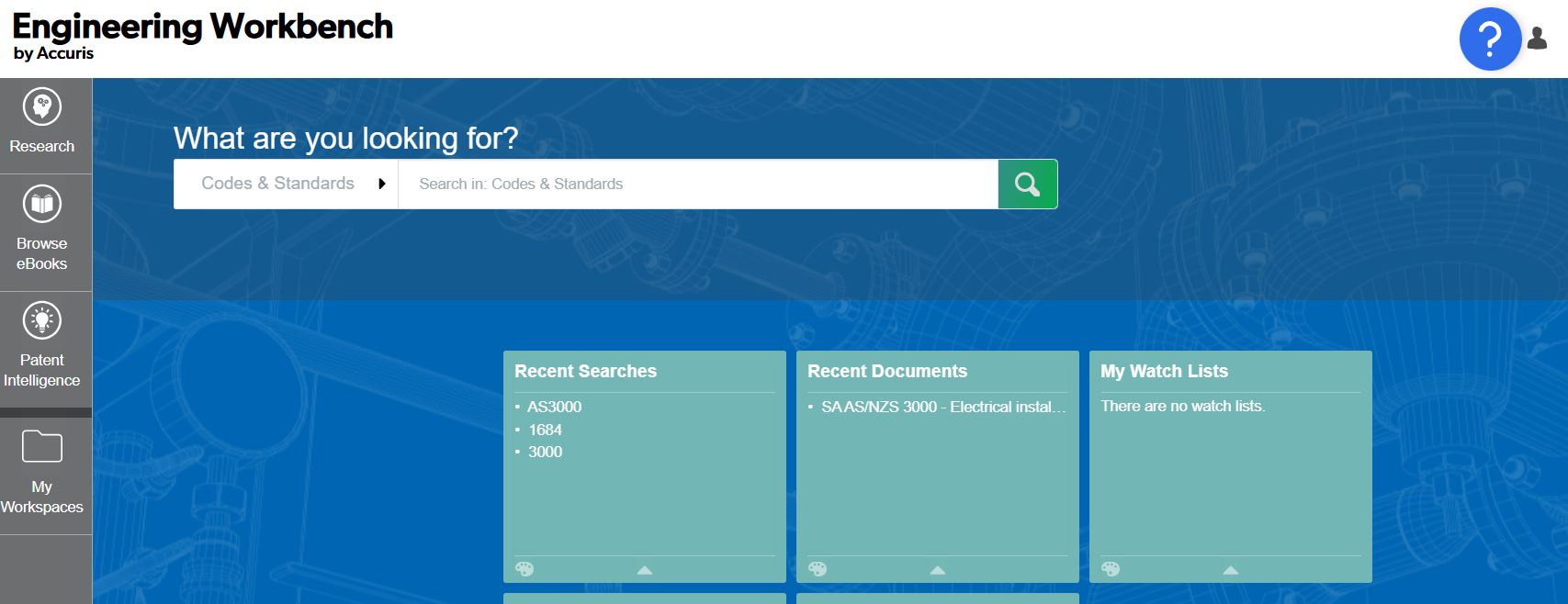
Type the standard number into the search box (prefix not needed), for example, 3000 and add Filters for My subscriptions, Publisher SA (Standards Australia) and Active - Then Refresh results
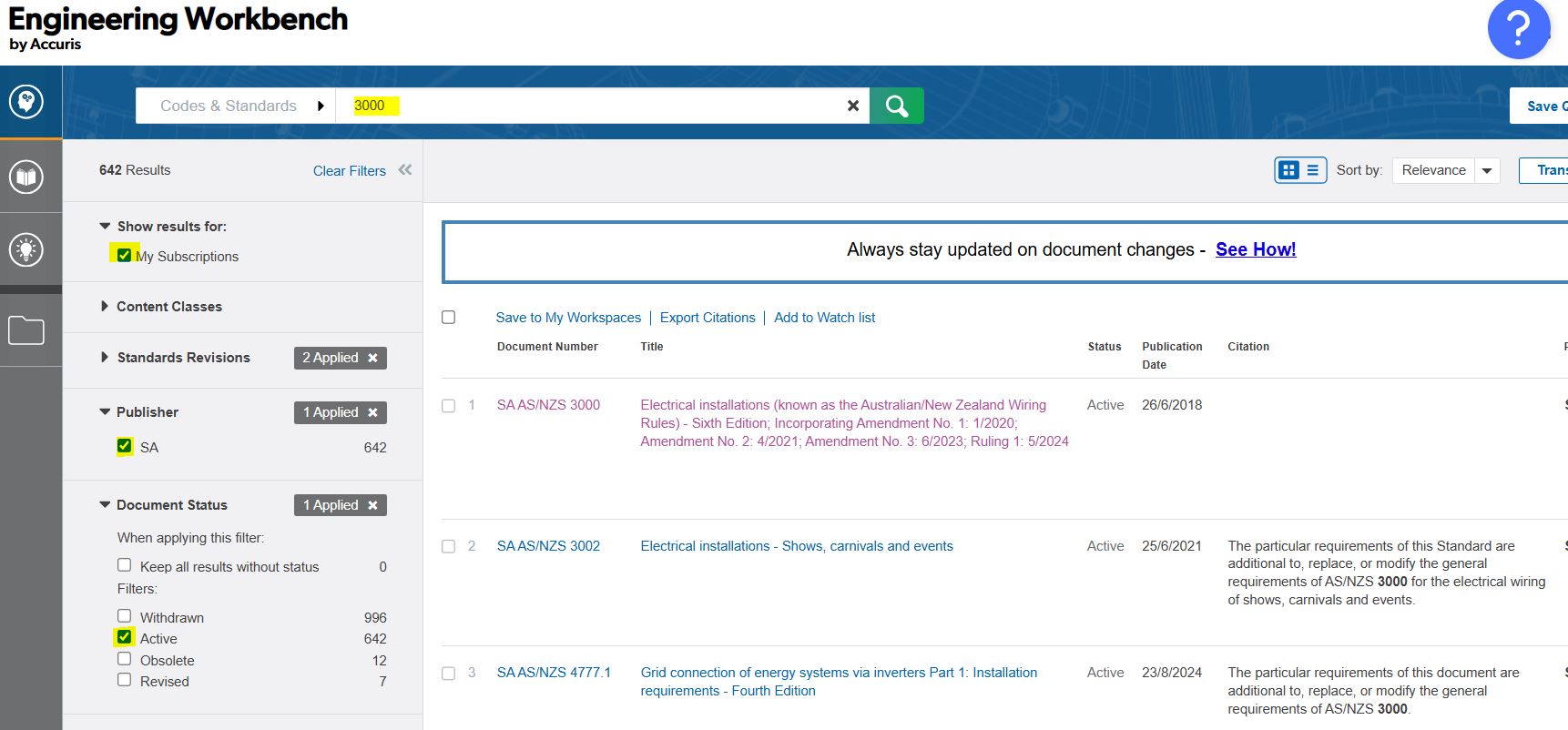
OR Type keywords into the search box. For example, searching for the keywords electrical installation will find all standards with those keywords in the title.
Note: Amendments are important - Select the standard with all relevant & current amendments
Click on specific title link to reveal Document Viewer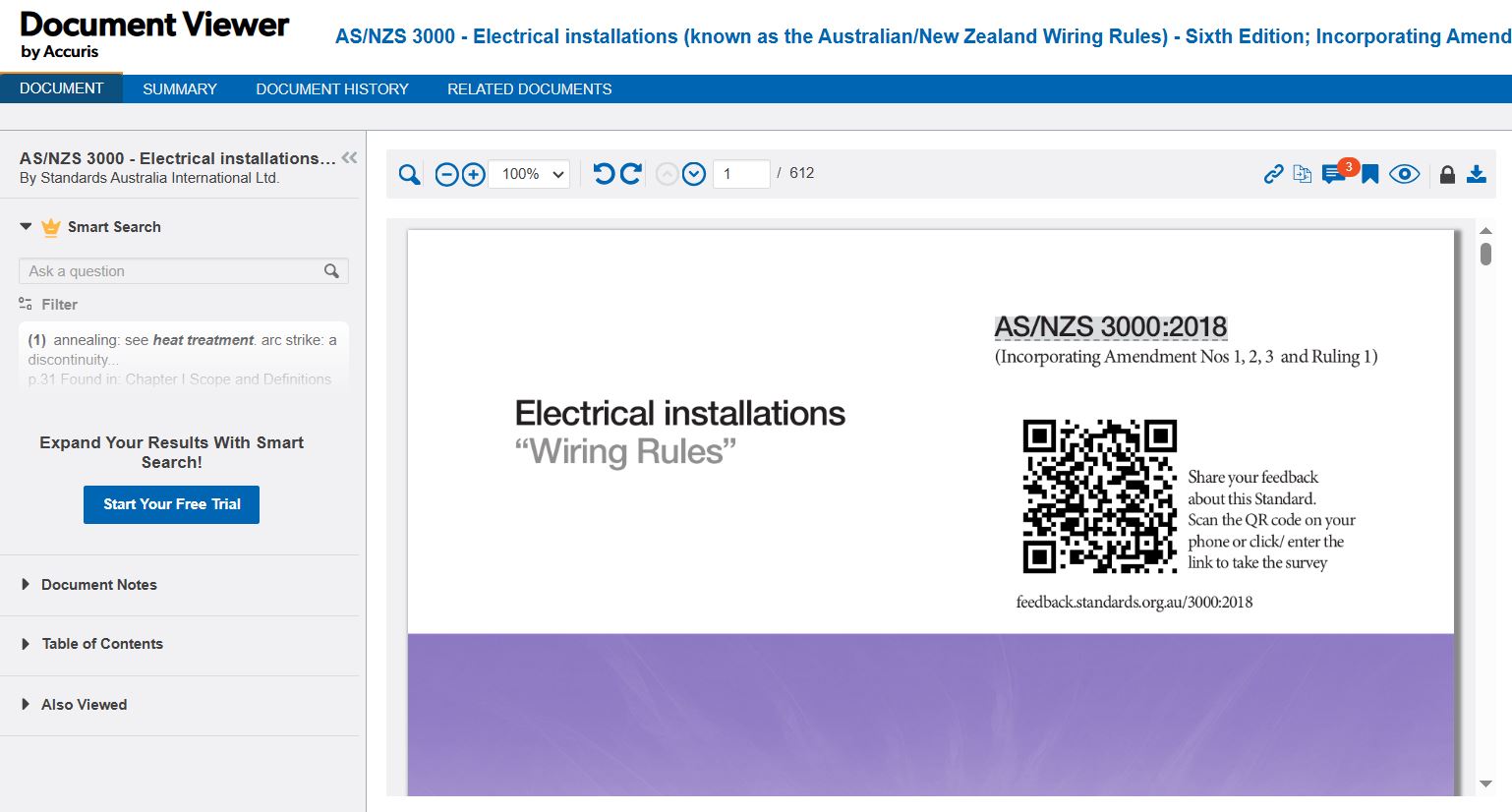
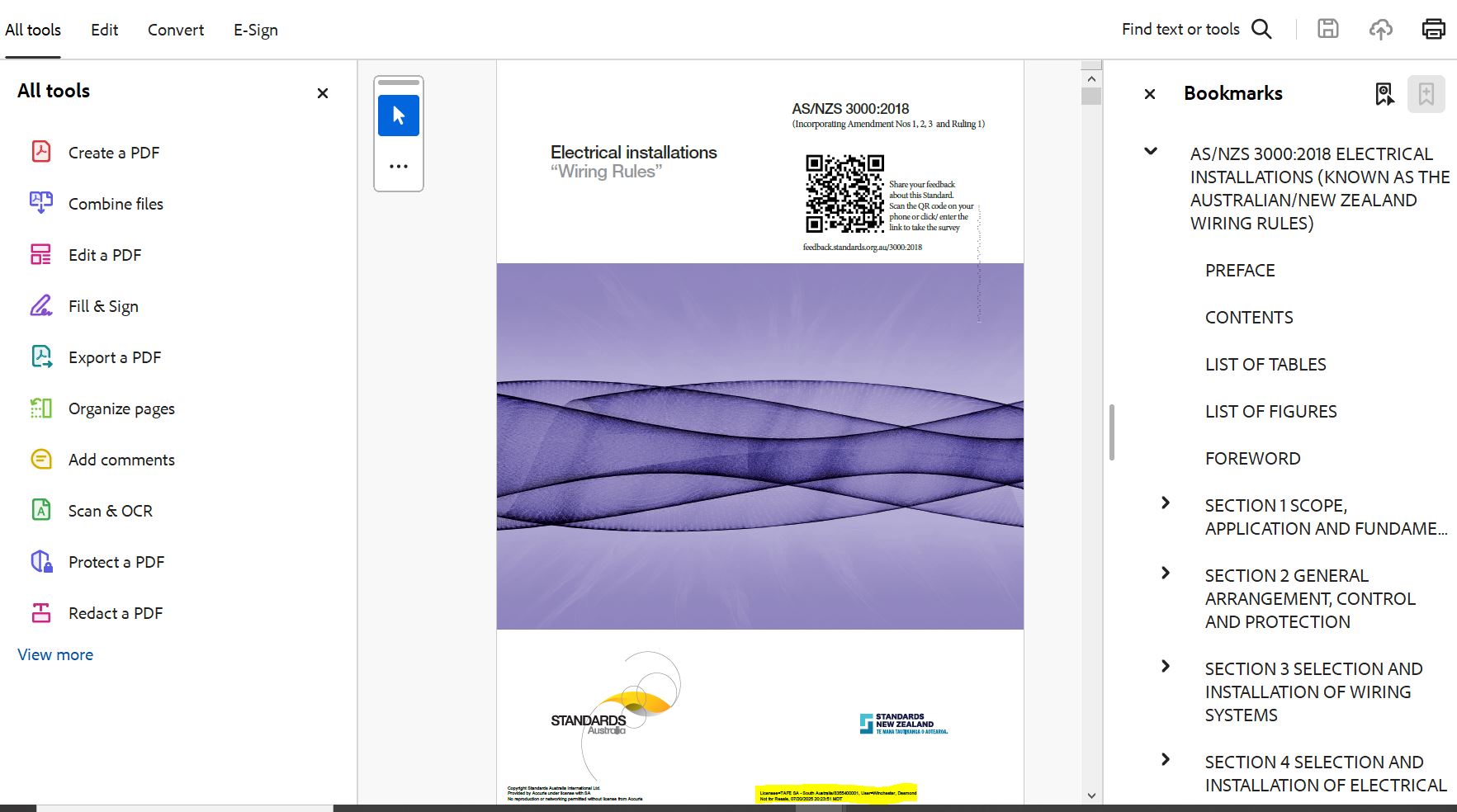
Downloaded PDF opened in Adobe Acrobat with FileOpen installed:
NOTE - bottom footer will have your personal details and licenced usage as a watermark on each page
To access Australian Standards, go to the database entry on the TAFE SA Library catalogue. OR Direct link via My TAFESA single sign-on link

Required Tools
Keep up-to-date with new Amendments or changes to specific Australian Standards.
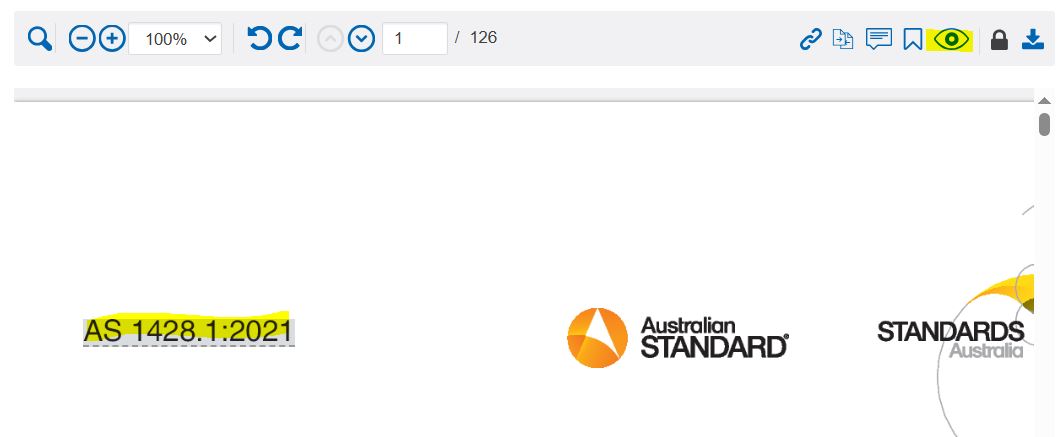

Can I rename the PDF file/s?
Yes. Initially the downloaded Accuris AS file name will contain random letters.
Under the DRM – Digital Rights Management – you can ‘rename’ downloaded EWB PDFs to a more friendly file name.
I'm unable to login to Australian Standards.
If you are having trouble logging in, please verify the following:
Note: If you see this error message it generally indicates your Browser is attempting to open the PDF rather than Adobe :

Go to your Downloads Folder and locate the recent PDF and right mouse click on the file name to reveal menu that allows you to 'Open with...' Specify 'Open with'.... Adobe Acrobat/Reader - as per below:

Why am I seeing the message "This document is licensed for a maximum number of concurrent users. At present all seats are occupied. Please try again in 10 minutes."?
This means that there are more people trying to access the standard at the same time. TAFESA has a specific concurrent user licences. Wait 10 minutes, and then try to access the standard again.
If you are unable to read PDFs using the FileOpen plugin in the Google Chrome browser, this is easy to resolve. Some Browsers no longer supports Adobe Acrobat for reading PDFs. Instead, you can update the Site Settings in Chrome so that PDFs are downloaded to your desktop, where you can open them using Adobe Acrobat. Follow the simple directions below to ensure Chrome allows you to use Acrobat as the PDF reader.
• Step 1: Enter chrome://settings/content in the browser’s location bar
• Step 2: Google Chrome’s “Site Settings” will load. Scroll down until you see the Content section.
• Step 3: Scroll down, and click on “Additional Content Settings”. The menu will expand and show a PDF documents option.
• Step 4: Click on “PDF documents”.
• Step 5: A new PDF Documents option will load. Click on the “Download PDFs” radio button, if it’s not already selected. This will prevent Chrome from loading PDFs in the Chrome browser itself and will use your default PDF reader instead.
http://plugin.fileopen.com/installcomplete/installcomplete.pdf
To download or print a standard you must configure your browser download settings, as the PDF files cannot be opened in the browser window.
Mac users must also configure their default PDF viewer to open downloaded standards. You can configure the PDF viewer settings using the following steps:
Downloaded standards can only be opened by using the Adobe Acrobat Reader app with the FileOpen plugin. This software is installed on TAFESA computers/laptops And is listed within Software Centre for quick deployment.
Downloaded standards can't be read by any other software, and can't be opened in your browser. Once the files have been opened on a device, they'll be locked to that device, and won't open if copied anywhere else.
Copyright & Attribution note
2.2.2. Creation of Learning Material from the Product.
Notwithstanding anything to the contrary as stated in 2.2.1 (i) above, Staff may reproduce and communicate extracts (“Extracts”) from the Product, provided that:
(i) the reproduction or communication of Extracts is for the purpose of creating or providing Learning Material; (ii) the Authorized User must not reproduce or use the Extracts in connection with Generative AI Tool or Large Learning Models; (iii) the Extracts are less than 25% or 10 pages (whichever is less) of each applicable Product; (iv) the Extracts are less than 25% of the Learning Material in which the Extracts are reproduced; (v) the Authorized User includes a copyright acknowledgement in close proximity to where the Extracts are reproduced, substantially in the form of “Reproduced from <designation/name of publication> with permission of <Accuris> as authorized by Standards Australia Limited. © <YEAR> <Copyright Owner>; (vi) the Customer must have in place an appropriate end user license agreement with its Staff to ensure compliance with these terms; and (vii) Customer must use its best endeavours to keep accurate record of usage of the Extracts by Staff and provide such report to Accuris upon request.
Note : the current copying limit is restricted to 10 pages per Australian Standard within Learn (Moodle) , not per user.
TAFE SA Help
TAFESA Australian Standards Database Guide
You can email a Librarian via: librarian@tafesa.edu.au
TAFE SA Educational staff can access Intranet 'Teaching & Learning Fact Sheet' with copyright and attribution samples for Australian Standards
Visit Accuris Customer Care
